

By Esteban Sardanyés on Aug 18, 2026, 9:00:01 AM
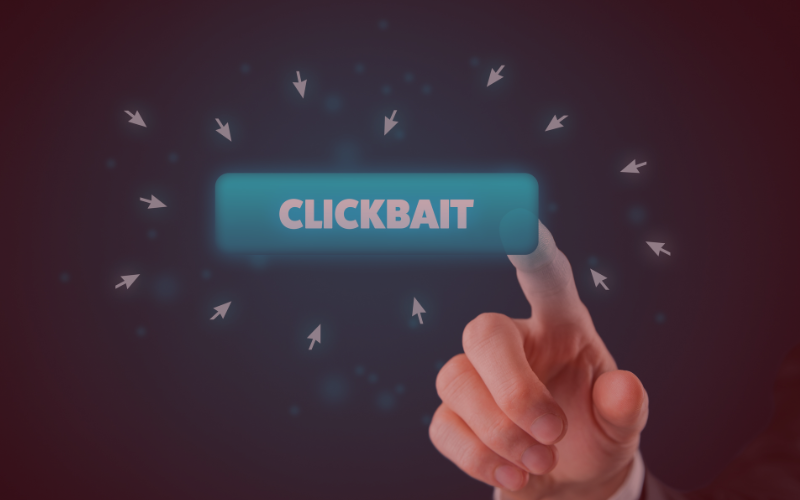
A catchy headline, an apparently urgent news story, or a link promising exclusive information may seem harmless. However, in a corporate environment, they can also be used as an entry point for social engineering attacks.
Phishing and other social engineering techniques play a role in a significant number of corporate security breaches. The goal is not always to directly trick users into giving away their credentials. In many cases, it is enough to get them to click a link that takes them to a malicious page, download a file, or interact with content designed to compromise their device.

What are clickbait scams and how can they be used in a cyberattack?
Clickbait involves using headlines, messages, or content designed to spark curiosity, create a sense of urgency, or trigger an immediate reaction. In cybersecurity, this technique can be used as part of a social engineering campaign to get a user to access a link, download a file, or provide information.
A message such as “Urgent notice from the IRS,” “Your account will be blocked,” or “Outstanding invoice” can be used to trigger an impulsive reaction. The link may take the employee to a page that imitates a legitimate service, ask for their credentials, or initiate the download of malicious software.
The risk increases when the attack targets corporate accounts with access to information, applications, or critical services. A single compromised account can provide an attacker with an additional entry point into the company’s infrastructure.
How can you identify a clickbait scam attempt?
Today’s attacks are increasingly sophisticated and may use well-known brands, domains that closely resemble legitimate ones, and professionally written messages. That is why simply looking for spelling mistakes or an unprofessional appearance is not always enough.
There are certain warning signs that should make an employee stop before interacting with the content.
Messages that create a sense of urgency: Emails or messages that demand immediate action to avoid an account being blocked, a penalty, or loss of access. The pressure is designed to reduce the time available to verify whether the communication is legitimate.
Links with suspicious domains: Always check the actual address before accessing it. A slightly different domain, added characters, or a URL that does not match the indicated service can be a sign of a fraudulent page.
Unexpected requests for credentials: Be cautious if a link suddenly takes you to a Microsoft 365 login screen or another corporate service. Fraudulent pages can accurately imitate legitimate portals to steal credentials.
Unexpected downloads: Pay attention if a page starts a download after you click, especially when it involves executables, compressed files, or documents you were not expecting to receive.

What should you do if an employee clicks on a suspicious link?
Clicking on a fraudulent link does not necessarily mean that a security breach has occurred, but it does require a quick assessment to determine whether the device, credentials, or company information have been exposed.
If a compromise is suspected, isolate the device, notify the IT manager or cybersecurity provider, and review the affected accounts. When necessary, sessions should be revoked, credentials changed, and logs analyzed to identify unauthorized access or activity.
The sooner you determine what happened, the easier it will be to contain the incident and limit its consequences.
How can businesses prevent clickbait scams?
Prevention should combine employee training, technical controls, and the ability to quickly detect and respond to anomalous behavior.
Training and simulations: Teach employees how to identify suspicious messages and recognize situations involving urgency or pressure before interacting with them.
Least privilege and MFA: Limiting each user’s permissions reduces the impact of a compromised account, while multifactor authentication adds an additional layer of protection against credential theft.
Protection and monitoring: Web filtering, endpoint protection, and continuous monitoring can block malicious domains and detect anomalous behavior.
Response plan: Having a clear protocol makes it possible to act quickly when an employee interacts with a threat, isolating the affected device and investigating potential unauthorized access or compromise.
Why choose ESED to protect your business?
Cybersecurity requires a continuous strategy capable of combining prevention, detection, and response. It is not enough to act once an incident has already occurred: organizations need visibility into the state of their infrastructure and the ability to detect behavior that may indicate an attempted compromise.
At ESED, we work with a proactive cybersecurity and continuous monitoring model to help businesses detect threats, reduce their attack surface, and respond to incidents before they can affect business continuity.
Our fixed monthly fee model provides continuous protection and monitoring without unexpected costs, adapting security measures to the actual needs of each organization.


Use of cloud systems in the biotech sector: risks and protection

Frequently asked questions for HelpDesk or IT support

.png?width=262&height=150&name=accio-10-negre%20(1).png)


.jpg?width=1150&height=64&name=ADHESIVO%20P%C3%81GINA%20WEB%20(1).jpg)